
Before you start
An active affiliate membership, so your links appear.
Open My profile.
Go to Referral link.
Choose the link: General lets placement balance automatically, and Left leg or Right leg places the new member on that side.
Select Copy.
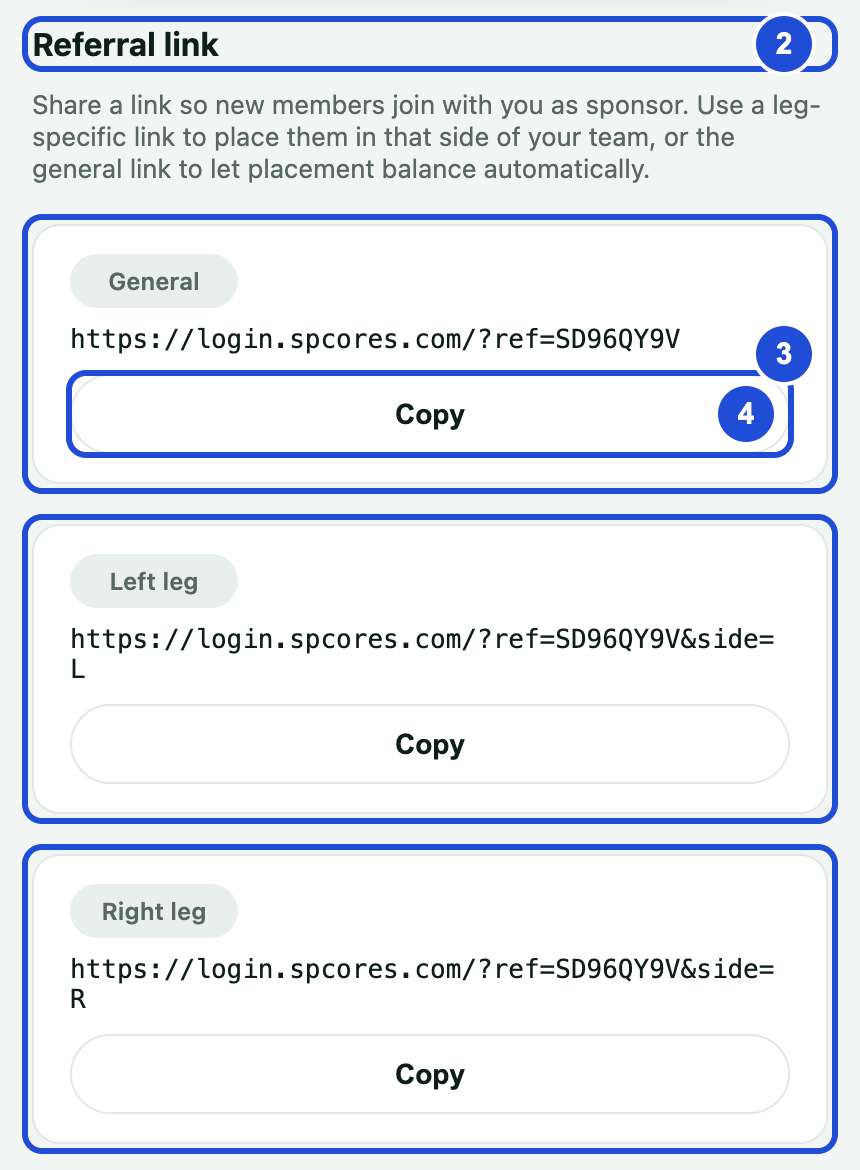
Steps 2 to 4 Replace the old link in your WhatsApp messages, social profiles and anywhere else you shared it.
Your referral code also appears on your Dashboard. New members can paste the whole link into Referred by.
If something goes wrong
unknown referrer / referral code
- Why
- The person used an old link or a mistyped code.
- What to do
- Send them your new link.
this referrer has no open spot on that side right now
- Why
- That side has no open place right now.
- What to do
- Send the General link instead.