
Open the email from SPCores. Check your spam folder if you do not see it.
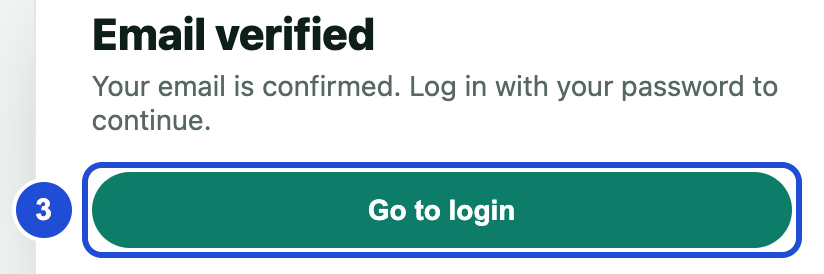
Select the link. You will see Email verified.
Select Go to login.
Enter your email or username and your password.
Slide the piece into the slot.
Select Log in.
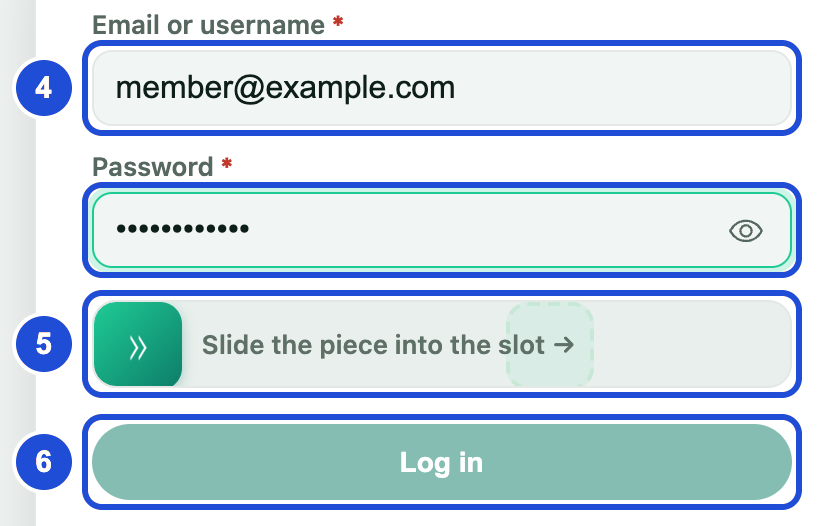
Steps 4 to 6
If you had an old account, you cannot sign in until you claim it.
If something goes wrong
No email arrived
- Why
- It may be in your spam folder.
- What to do
- On the verification screen, select Resend email.
You typed the wrong address
- Why
- The email went to the wrong place.
- What to do
- On the same screen, select Edit email, then Save & resend.
please verify your email before signing in
- Why
- Your email is not verified yet.
- What to do
- Open the link in your email first.
This account is not active. Please contact support.
- Why
- The account is not active.
- What to do
- Email us at [email protected].