
Before you start
An exchange or another wallet that holds USDC and can send on the Base network.
In the menu, under Money, select Wallet.
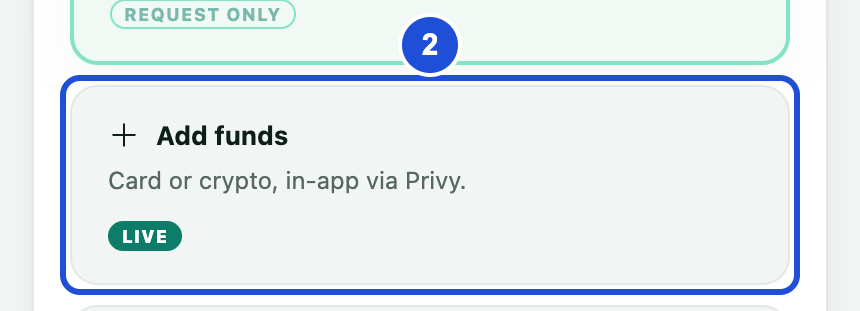
In Manage your wallet, select Add funds.
Under Receive crypto, select Copy to copy your full address.
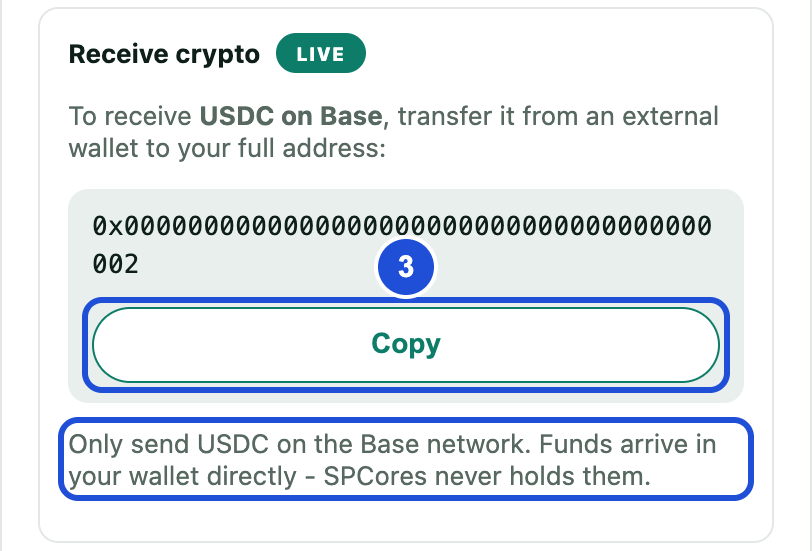
From the exchange or other wallet, send USDC to this address and choose the Base network.
When it arrives, check your balance and Wallet activity.
Only send USDC on the Base network. Sending another coin or using another network can lose your funds.
Buying with a card
If the option is switched on, select Buy with card in the same window. The amount is converted to USDC by the card provider, and the limits appear in the window.
The Add funds button is for in-app wallets only. If you use your own external wallet, manage your funds in its app.
If something goes wrong
Card funding is currently disabled by the admin.
- Why
- The card option is switched off.
- What to do
- Use Receive crypto instead.